Text to Speech for WooCommerce Products: A Practical Guide
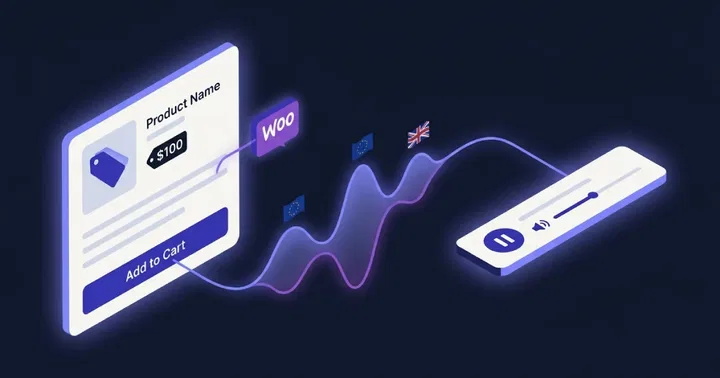
Text to Speech (TTSWP) runs on WooCommerce stores across the world, and the same questions come up every week. This post is the practical playbook for adding audio to product pages: setup, voice choice, the multilingual angle, and the pitfalls we keep finding.
Why audio on product pages in 2026
Three forces make this the right moment to add audio to WooCommerce products.
First, shoppers multitask more. People research products on a phone while cooking, commuting, or holding a baby. A play button on a product page lets them keep reading with their ears while their hands are busy.
Second, AI answer engines are reshaping product discovery. ChatGPT Search, Perplexity, and Google AI Overviews increasingly cite pages that publish structured audio versions of their content. We covered the mechanics in AI search engines and audio content. Product pages benefit from the same effect when the description is substantial enough to justify a listen.
Third, the European Accessibility Act pulled ecommerce into legal scope in 2025. Stores serving EU customers now have a compliance reason to think about audio alongside the conversion reason.
On article-style content we routinely see 20 to 40 percent higher session duration when audio is enabled. Product pages benefit from the same dwell-time lift when the description is long enough to listen to. I will not quote a conversion number because the honest answer is that it varies by category, voice choice, and how repetitive the description is.
What gets narrated on a WooCommerce product
TTSWP narrates the parts of a product page that read well aloud and skips the parts that do not.
Included by default:
- Product title
- Long description (the main editor content)
Optional toggle:
- Short description (the excerpt block above the add-to-cart button)
Excluded by default:
- Attributes and variations
- Custom fields and meta
- Customer reviews
- SKU codes
- Price
This matters more than it sounds. Reading "S K U dash zero zero one dash B L K" out loud is bad UX. Reading the price changes the moment a sale starts. Reviews pull in user-generated content that you may not want narrated by your brand voice. The long description is the actual win, because that is where the product story lives. You can fine-tune what gets read on the content settings page.
The setup in five steps
- Install the plugin. Get Text to Speech – TTSWP from WordPress.org and activate it. Standard plugin install — see the full setup tutorial for screenshots and edge cases.
- Connect to the SaaS dashboard. Follow the prompt to log in at app.ttswp.com. The connect guide walks through it.
- Enable Products as a post type. Go to Text to Speech, then Content, and toggle Products on. This tells the plugin to treat WooCommerce products like blog posts for audio generation.
- Pick player placement. Choose After title or After content. Most stores I work with put it directly under the title so shoppers see it before scrolling. See player settings for the options.
- Choose a voice that matches the brand. Pick a voice from the library and save. Generate one product to verify it sounds right before bulk generating.
The full reference is in the WooCommerce integration doc. In stores we have built, this whole sequence takes about 15 minutes if you already know the WooCommerce admin.
Choosing the right voice for a product page
A product page voice is not the same as a news article voice. On a news article you want a calm, authoritative narrator. On a product page you want energy, warmth, and brevity.
Think about how a good shop assistant talks. They are not droning. They are slightly upbeat, they enunciate the product name clearly, and they sound like they actually like the product. That is the target.
A few practical recommendations:
- Use a different voice from the blog. Editorial and commercial content benefit from different tones. The blog can be calm and explanatory. Products should sound brighter.
- Pick one voice and stick with it. Brand consistency across the catalog matters. Switching narrators between products breaks the feeling of a coherent brand.
- Try the latest ElevenLabs model. The newer ElevenLabs voices handle emotional warmth better than older neural TTS. You can route generation through your own ElevenLabs key, see BYOK. The affiliate link if you do not have an account yet is try.elevenlabs.io/ttswp.
- Consider voice cloning for distinctive brands. Founder-led brands or premium retailers benefit from a cloned voice that nobody else has. See voice cloning.
Bulk generation for catalogs that already exist
If you have ten products, generating audio one at a time is fine. If you have 500 or 5000, you need bulk.
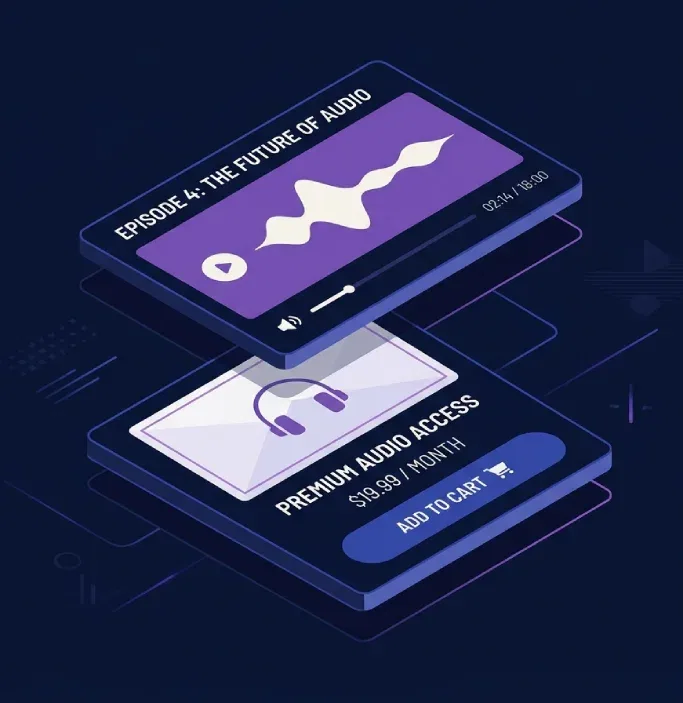
Bulk generation is the feature that makes this practical for established stores. The bulk generation tool processes products in the background while your team keeps working. You queue a batch, walk away, and come back to a fully narrated catalog.
The plan limits matter here. The Pro plan handles up to 1000 products per batch. The Agency plan handles up to 5000 products per day across all connected sites. A 500-product catalog rolls out in one afternoon. A 5000-SKU store rolls out over a few days.
Background processing is the part most people miss when they evaluate this. You do not need to keep the browser open. The queue runs on our servers and the audio appears on the products as it finishes. Your editor can keep adding new products while the back catalog is being processed.
Multilingual stores
This is where TTSWP earns its keep on cross-border ecommerce. If you sell in the EU, you almost certainly translate product descriptions into several languages. A French product needs a French voice, not an English voice reading French phonemes badly.
Stores running WPML, Weglot, Polylang, or TranslatePress get automatic language-to-voice mapping. The plugin detects the language of each translated product and routes it to a voice configured for that locale. The full setup is in the language-voice mapping doc.
What this looks like in practice: a Norwegian store selling into France, Germany, and the Netherlands picks four voices, one per locale. When the WPML translator publishes the French version of a product, the French voice narrates it automatically. No manual file-by-file selection, no copy-paste between admin panels. This is the workflow we built for the WooCommerce use case page.
AudioObject schema and AEO for products
Every product page with TTSWP audio gets AudioObject JSON-LD schema injected alongside the standard Product schema that WooCommerce already outputs.
Why this matters: AI search engines parse structured data to understand what a page offers. Product schema tells them about the product. AudioObject schema tells them there is a narrated version of the description, who narrated it, what language it is in, and where the audio file lives.
Here is the concrete scenario. A shopper asks Perplexity "what is the best ergonomic office chair under 5000 NOK". The engine pulls from product pages it can parse. Pages with rich structured data, including AudioObject for the narration, give the engine more to cite. Product pages with audio narration are more likely to surface as a cited source than identical pages without it.
This is not magic. It is the standard SEO compounding effect of giving search engines more structured information about your page. Audio is the latest layer.
Theme compatibility and player placement quirks
The vast majority of WooCommerce themes work without changes. We have tested Storefront, Astra, Kadence, Blocksy, and GeneratePress in real stores. The player appears where you tell it to.
Heavy commercial themes like Flatsome and Woodmart usually work too, because they still use the standard WooCommerce template hooks. Where things get tricky is fully custom themes that override single-product.php with their own markup. In that case the automatic placement may not hit the right spot.
Two reliable fixes:
- Sticky footer player. Enable the sticky footer player. It floats at the bottom of every product page regardless of the theme template.
- Manual shortcode. Drop a shortcode into the product template where you want the player. See shortcodes.
One thing to know about variable products. The audio narrates the main product description. Individual variations do not get their own audio. This is by design. Generating 12 separate audio files for 12 size variants of the same t-shirt would burn credits and confuse shoppers. If a variation has a meaningfully different description, treat it as a separate product.
Accessibility and the EAA
A short note, because this is not the headline of the post. The audio player ships WCAG 2.2 conformant by default. Keyboard navigation, focus states, ARIA labels, and screen reader announcements are built in. The full breakdown is in accessibility.
Ecommerce sites serving EU customers must meet European Accessibility Act requirements as of June 2025. Audio narration is not a checkbox for the EAA on its own, but it is part of a broader strategy. The detailed posts are WCAG audio requirements for WordPress and the European Accessibility Act and WordPress.
Common pitfalls from real audits
Things we keep finding when we audit WooCommerce stores that have added audio:
- Letting the short description double the audio. The short description above the add-to-cart often repeats the product title and the first line of the long description. Narrating both creates redundancy. Pick one.
- Generating audio before the description is final. Stores generate audio for 200 products, then the marketing team revises every description the following week. That is a regeneration bill that could have been avoided.
- Using one slow narrator across a fashion catalog. Fashion shoppers want energy and pace. A measured documentary voice kills the mood. Match voice to category.
- Forgetting to exclude SKU codes when they appear in the long description. Some stores paste SKU references into the description body. Narrating "reference number A B dash four seven dash slash dash two" is a small disaster. Clean the description, do not just hope the TTS engine handles it gracefully.
- Not regenerating after a translation team revises copy. Translators iterate. If audio is generated against the first draft and the final published version is different, shoppers hear stale text. Set a process where audio regenerates after translation sign-off.
A note on credits and cost
Audio narration uses TTS credits. The good news for WooCommerce stores is that product descriptions are usually shorter than blog posts. A store with 500 products and roughly 150-word descriptions burns around 75,000 characters once, then only regenerates when a description changes.
For context, a single 2000-word blog post burns around 12,000 characters. So 500 product descriptions cost roughly the same as six long-form blog posts in audio generation. Most stores find this a one-time setup cost rather than a recurring expense. Full plan details are on the pricing page.
FAQ
Does TTSWP narrate WooCommerce product variations separately?
No. The audio narrates the main product description, which is shared across all variations. Individual variants like sizes or colors do not get separate audio files. If a variant has a meaningfully different description and customer story, the cleanest approach is to treat it as a separate product rather than a variation.
Can shoppers download the audio version of a product description?
Yes, if you enable the download option in the player settings. By default the player streams audio rather than offering a download, which keeps shoppers on the page. Some stores enable downloads for product categories where shoppers want to listen offline, like long-form guide products or audio-first content. Configure it in the player settings.
Will adding audio slow down my product pages?
No. Audio files are served from a CDN and the player loads asynchronously, so it does not block the rest of the page. We use lazy loading on the player itself, which keeps your Core Web Vitals scores stable. Performance details are in the performance doc. Stores running caching plugins should follow the caching integration guide.
Does it work with custom WooCommerce themes like Flatsome or Woodmart?
Yes, both Flatsome and Woodmart work because they still use the standard WooCommerce template hooks. We have tested the integration in real stores running both themes. If you have a fully custom theme that rewrites the single product template, the sticky footer player or a manual shortcode placement will solve it. See sticky footer player.
Does the audio update automatically when I edit a product description?
Yes, if you enable auto-generate on publish. When you save changes to a product, the plugin queues a regeneration of the audio so the narration matches the new description. Some stores prefer manual control to avoid burning credits on small edits. Both modes are available in auto-generate on publish.
Can I narrate products in multiple languages without manual setup?
Yes. If you use WPML, Weglot, Polylang, or TranslatePress, the plugin detects each translated product and routes it to the voice you have configured for that language. A French translation gets a French voice. A German translation gets a German voice. No per-product setup required. Full details in the language-voice mapping doc.
What happens to audio when I delete a product?
The audio file is removed when the product is deleted, which keeps your storage clean. If you trash a product without permanently deleting it, the audio stays available in case you restore the product. Your character credits are not refunded when audio is deleted, since the generation work has already been performed.
Where to start
If you run a WooCommerce store and want to test this without committing to a full rollout, do this. Enable Products as a post type, generate audio for the ten top-selling products, and watch the analytics for a week. Compare dwell time and bounce rate against the same products in the previous week.
If the numbers look right, bulk generate the rest of the catalog. The WooCommerce integration doc has the full walkthrough. For broader WooCommerce platform reference, the official WooCommerce documentation is where I send clients when they need to understand the underlying templates and hooks. Audio is a layer on top of a well-structured store, not a substitute for one.